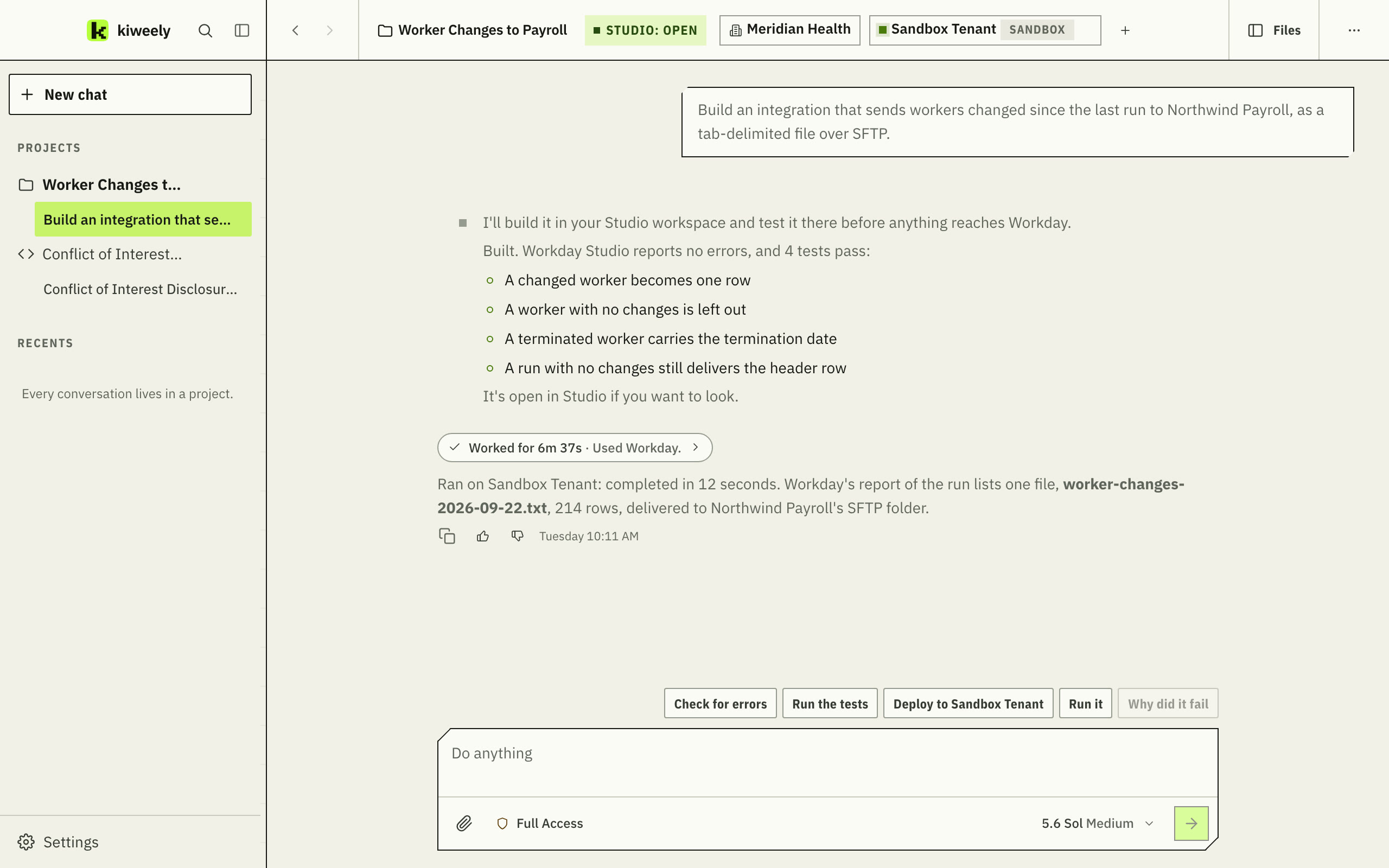
The whole Studio job, in your own Studio.

Describe the integration, or point at the run that failed. kiweely writes it, builds and tests it in the Workday Studio on your computer, deploys it, runs it and reads Workday’s own report of the run. A deploy, a run and a debug run each wait for your yes.

Uses the Workday Studio already on your computer · No Extend account needed

Scroll sideways to see the whole screen.Real kiweely screen with example data.Open full size

The work that eats an integration developer’s week.

Each story replays a real request on the real screens: what you asked, what kiweely did, and the answer.

The request: hourly workers have had the wrong hours in the payroll file since last week.

Scroll sideways to see the whole screen.

Today
Find the run, bring its report into Studio, read the log for the step, open the assembly, change the XSLT, deploy, run it again, and hope.
With kiweely
It reads Workday’s report of the run, replays the step’s real input in your Studio, and proves the fix with a test before it asks to deploy.

Real kiweely screens with example data.
Debug runs

Pause a real run and look inside.

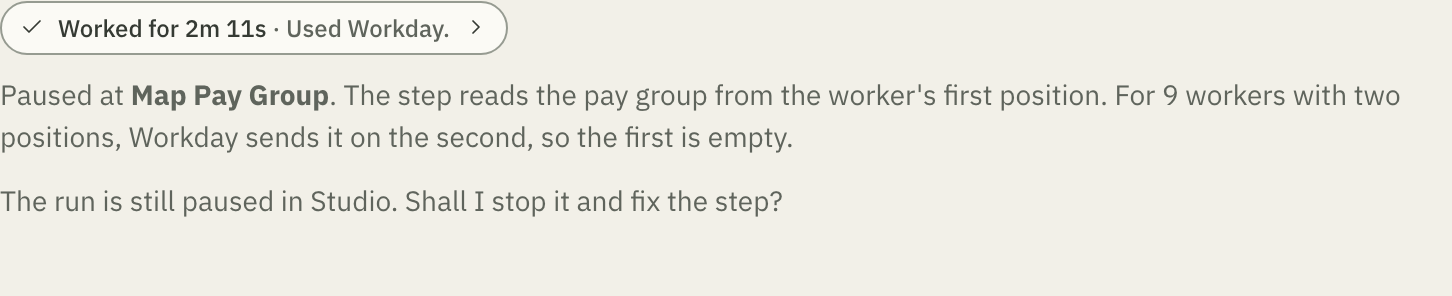
Ask why a value is wrong at a step. kiweely starts a debug run in your Studio, pauses at that step and reads what is really there.

  • It asks first

    A debug run is a real run: it calls Workday and delivers its output.

  • It reads, then steps on

    The values at the step, an expression run against them, then the next step.

  • Not on Production

    Studio’s debugger refuses a Production tenant, and kiweely says so.

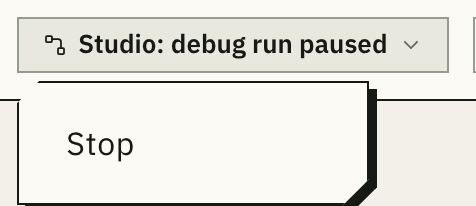
The conversation's header reads Studio: debug run paused, with Stop under it.
The conversation says a run is paused, and Stop is right there.
kiweely answers from the paused run: the step reads the first position, and for 9 workers Workday sends the pay group on the second.
Scroll sideways to see the whole screen.Real kiweely screen with example data.Open full size

Before anything reaches Workday

Tested on your computer. Deployed when you say.

Building and testing never touch Workday. Everything after that shows you a card first.

  1. Never asks

    On this computer

    Build it. Run the tests.

    Your Studio builds the integration and runs its tests here. In a test, every call to the outside is answered from a saved reply, so nothing is sent to Workday or to anyone else.

  2. Waits for your yes

    Sandbox and Implementation

    Deploy it. Run it. Debug it.

    Each shows a card naming the client, the integration, the tenant and what will happen. Allow it once, or for the rest of the conversation. Full Access never answers for you.

  3. Asks every time

    Production

    Deploy it. Run it.

    The card says it is a Production tenant and offers Allow once and nothing longer. You answer it for every deploy and every run.

Approval required: Deploy to Workday? Meridian Health, Worker Changes to Payroll, Sandbox Tenant. Deny, Allow for this conversation, Allow once.
The card for a Sandbox tenant.
Approval required: Deploy to Workday? Meridian Health, Worker Changes to Payroll, Production Tenant. This is a Production tenant. Deny, Allow once.
The card for a Production tenant.

Real kiweely screens with example data.

One click to set up. Four ways to start.

kiweely finds the Workday Studio on your computer and adds its helper to it. After that, start from whatever you have.

Studio on this computer: Workday Studio found, the kiweely helper added and the Studio workspace in use. Studio uses your kiweely tenants.

Once, the first time you need it

It never asks again. Studio opens in the background when a conversation needs it, and you open it yourself only when you want to look.

Choose how to start this integration: create a new integration, download from the tenant, import a CLAR file, or use a project already in your Studio workspace.

New, or the one you already have

A project already in your Studio workspace stays exactly where it is. Every project keeps earlier versions you can restore.

What you need

  • Workday Studio

    Your own, installed on your computer. kiweely ships none of it.

  • A tenant you can sign in to

    Signed in through kiweely. Studio uses the same tenants, with nothing to set up in Studio.

  • No Extend account

    Studio integrations need a tenant, not Workday Extend.

  • Single sign-on tenants

    Where your account has no Workday password, the tenant signs in with an API client registered in it.

Building on Workday Extend?

Extend apps and Orchestration for Integration get the same loop, with Workday checking every version.

The Extend page

Bring the integration that keeps failing.

Try it on real work for 14 days. No card to start. The approvals and Production stay with you; the building, testing, deploying and fixing go to kiweely.