


HR partners want a list of everyone reaching a work anniversary in a month they choose, for an organization they choose. We gave Kiweely that request in plain words and filmed what it did in a Workday Development tenant with its own test data. The film opens on the finished report and an answer from the tenant, then shows the whole build, sped up.
Watch the film
Play the filmThe report
Monthly Work Anniversaries is an advanced custom report on Workers for HCM Reporting. The person running it picks a supervisory organization, and the organizations under it are included, and a month from 1 to 12. It lists active workers with their organization, manager, job profile, hire date, the anniversary date this year and the years they reach, biggest milestones first.
Four report-only calculated fields do the date work: Build Date for this year’s anniversary, Date Difference for the years reached, and Format Date with Convert Text to Number to turn the hire date into a month the prompt can match. Nothing tenant-wide was added.
Run for Customer Support Center and January, it returns 14 people across Canada, US East and US West: three reaching 11 years, ten reaching 6 and one reaching 2.
The question
Then we asked Kiweely: which organization has the most January anniversaries, and who reaches the biggest milestone? It answered from the tenant’s worker data in 36 seconds. Two organizations tie with six each, and 22 people reach 11 years, everyone hired on 1 January 2015. It then ran the saved report for one of those organizations and got the same six people.
What the run took
Claude Opus 5.5 at High effort, 39 minutes from the request to the saved, checked report. Kiweely shared the report with the HR Partner security group and ran it while acting as an HR partner. Whether an HR partner with narrower security sees only their own organizations was not tested: every HR partner in this tenant also has company-wide access.
Watch Kiweely Vine build a report with date calculated fields
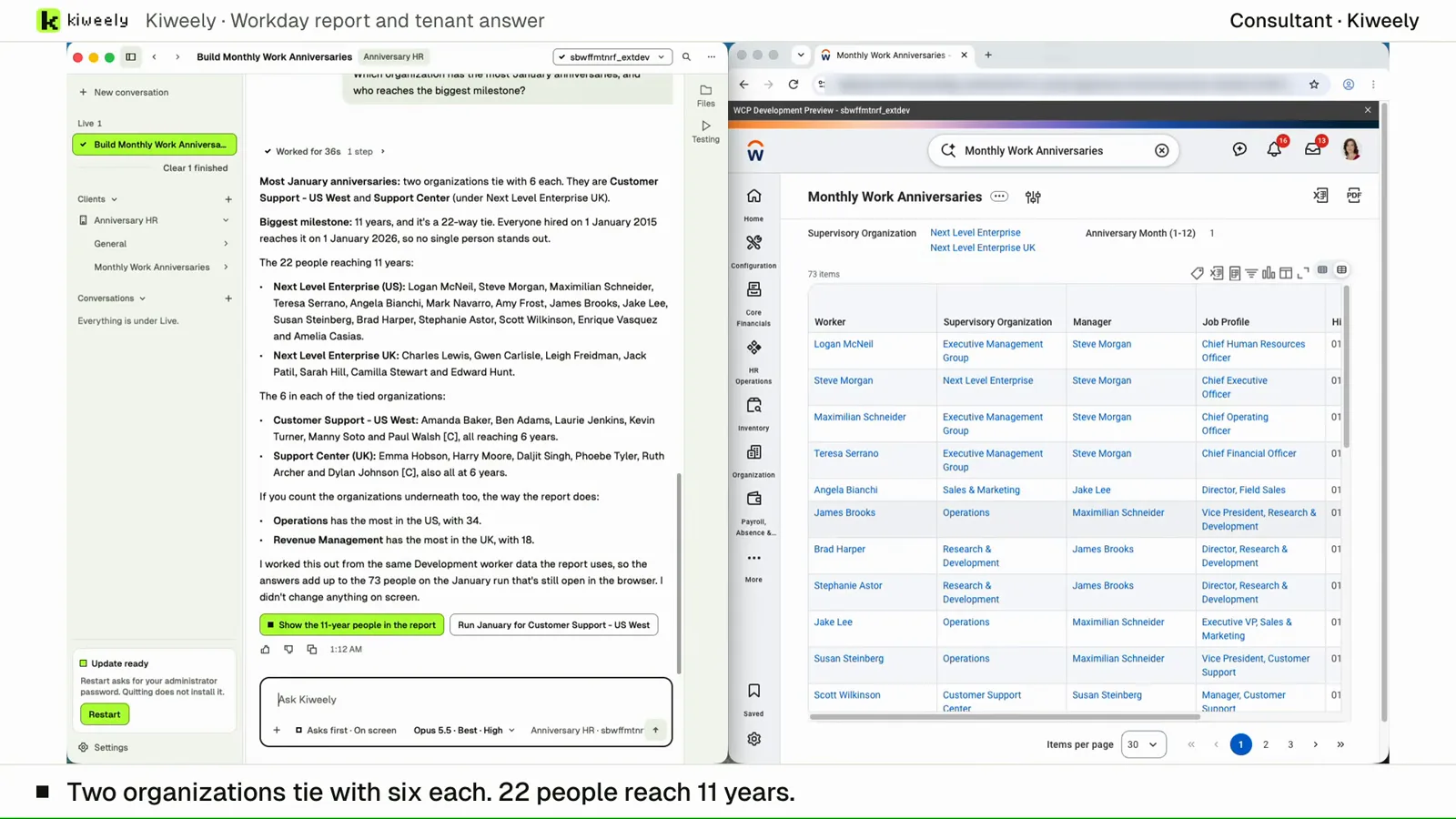
From a plain request, Kiweely Vine builds a prompted Monthly Work Anniversaries custom report with four report-only calculated fields: Build Date, Date Difference, Format Date and Convert Text to Number. Then it answers a question from the tenant’s worker data and checks the answer against the report. 39 minutes from the request to the saved, checked report, in a Workday Development tenant.