


Peer Recognition
Employees thank a colleague for Caring, Teamwork or Excellence, with optional points from a quarterly allowance. Managers see their team’s recognitions and HR sees the whole company’s.
Sign in to download. In Kiweely, choose New project, Extend app, An existing one, then Use an app file and pick the download.
Peer Recognition
Chapters
- 0:00 Intro
- 0:05 Set up: the client’s look, described in words
- 0:21 The brief: describe the app in business words
- 0:47 Build it in the real Workday tenant
- 1:20 Security: decide who can see what
- 3:38 Testing as real people
- 9:40 Checked, monitored and handed over
Built with Kiweely Vine in about 3 hours. Passed 18 of 20 checks in a Development tenant.
Why it exists.
Recognition is easy to promise and hard to see. Without an app, thanks go by email or chat, points live in a spreadsheet, and nobody can tell how much of an allowance is left or whether HR’s totals are right.
Peer Recognition keeps it all in Workday. The signed-in worker is the sender, so nobody can thank on someone else’s behalf.
How it works.
- The employee
- Thanks a colleague by choosing them, a value (Caring, Teamwork or Excellence) and writing a short message, with 10, 25 or 50 points or none. Each quarter brings 100 points to give; the home page shows what is left, and unused points expire. They see the recognitions they have received.
- The manager
- Sees the recognitions their current direct reports have received.
- HR
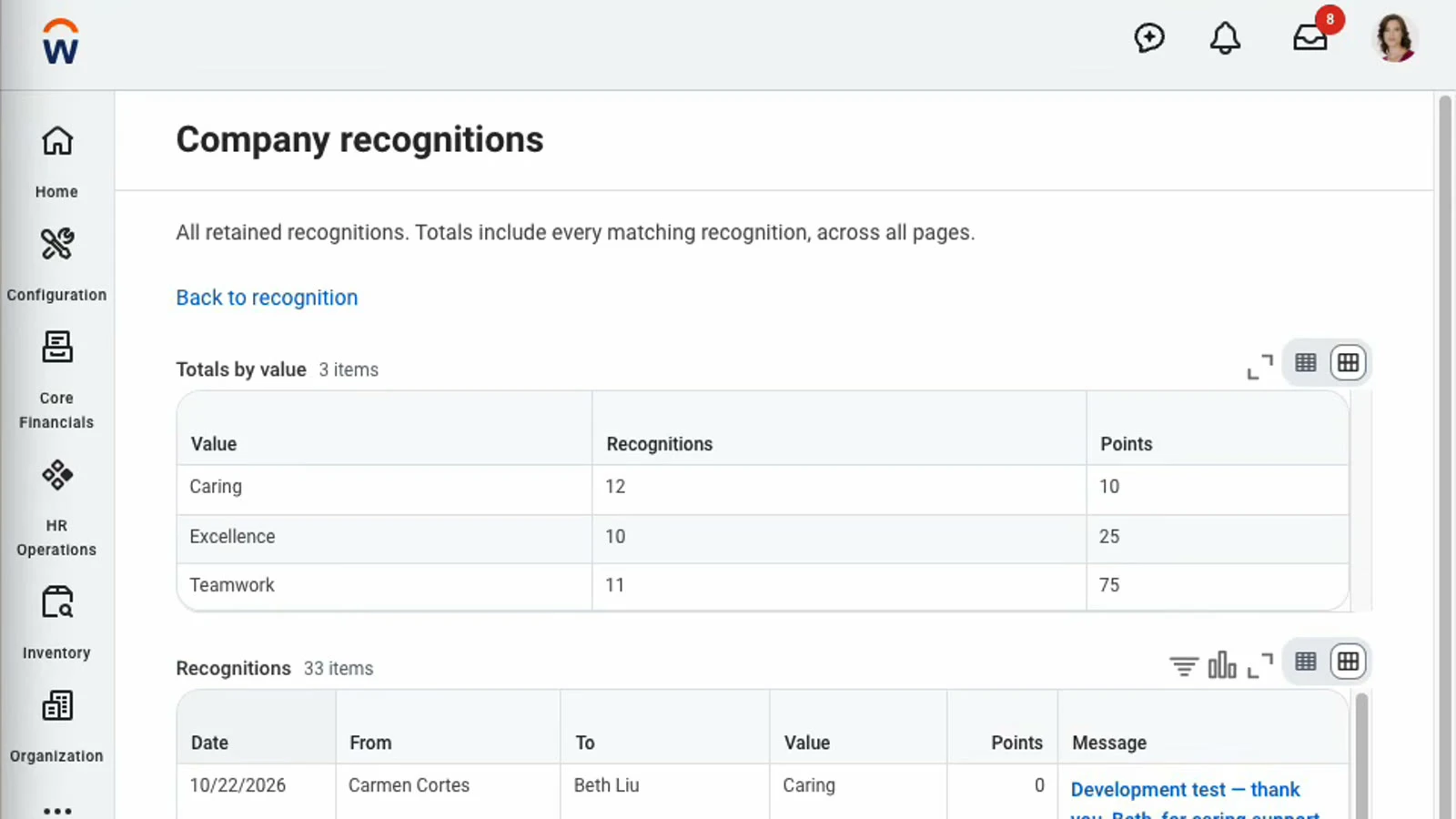
- Sees every recognition in the company, page by page, with the number of recognitions and points for each value.
In the Workday tenant.


How it is built.
A Workday Extend app.
- Pages
- Home, Thank a colleague, Recognitions I received, My team’s recognitions, Company recognitions, and one recognition in full
- Stores
- Recognitions: sender, colleague, value, message, points, date and quarter. The points left are worked out from them.
- Reads from Workday
- The signed-in worker, active colleagues to choose from, and each manager’s direct reports
- Who sees what
- Employees see what they received, managers their team’s, and HR Administrators the whole company. Posted recognitions can’t be changed.
Make it yours: start a project from this app.
Kiweely brings the same app into your own Workday developer account, then changes it the way you ask.
Next in Kiweely Vine
Compare A chat tells you the clicks. Kiweely Vine makes them. Watch it,
then try it.
Every film is a real build. Hand Kiweely Vine yours.
Kiweely Vine runs on Mac and Windows.