


Plenty of AI demos can generate a Workday Extend JSON file that looks plausible in a code editor. Almost none of them show what happens next: validating the app against Workday’s real server, publishing it into a live Development tenant, configuring role security, and actually clicking through every screen as an employee, a manager, and HR—catching real defects and fixing them before handover.
In our recorded build (Remote work request app built in Workday Extend) and its companion end-to-end verification write-up (How do you test a Workday Extend app end to end?), we put Kiweely Vine on a clean computer against a real Workday Development tenant with fictional sample workers. Here is the screen-by-screen walkthrough of what Vine built, how it tested every persona through Start Proxy, and why real-role verification matters.
The Business Brief: Remote and Hybrid Work Requests
The prompt was written in plain business language—the way an HR lead or functional consultant describes a requirement, not as PMD/AMD code:
- Employee submission: Employees request either Fully Remote or Hybrid work with a start date, home address, and business reason. Hybrid requests also require selecting office weekdays.
- Input validation: Missing required fields (such as a blank home address) or a start date in the past must be stopped immediately with a clear error message.
- Manager review loop: The request routes to the employee’s manager in My Tasks. The manager can approve the request or send it back with a mandatory comment so the employee can revise and resubmit.
- HR visibility: HR sees every approved work arrangement in one overview screen and can filter the population by country or state.
Stage 1: Employee Intake and Validation on the Live Tenant
Once Vine generated the Extend app’s model, pages, and workflow, validated it against Workday’s remote validator, and published it to the Development tenant (after explicit human publish approval), it did not declare the work finished.
Instead, Vine turned the business requirements into explicit acceptance checks—each tied to the exact persona responsible for that step—and opened the live app in a visible, stoppable browser window.
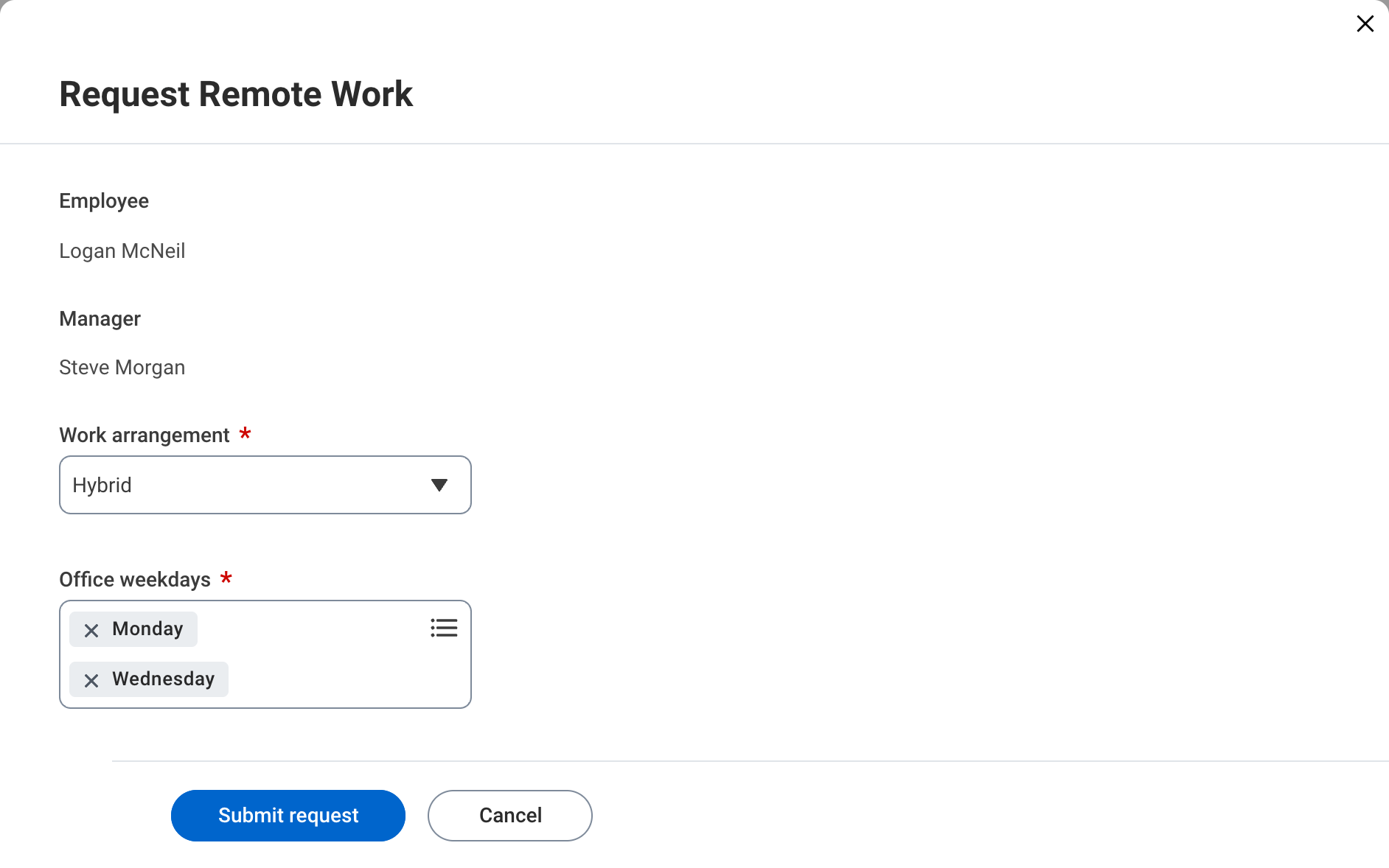
Testing as the employee persona verified both the happy path and the guardrails:
- Submitting without a street address triggered a clear required-field message rather than saving an incomplete record.
- Entering a start date in the past was rejected cleanly before submission.
- Choosing Hybrid exposed the office weekdays requirement, while valid submissions routed directly into the manager’s approval queue.
Stage 2: Manager Approval and Send-Back Through Start Proxy
This is where Extend builds routinely fall apart in real projects. An admin testing their own submission rarely sees whether a normal Manager security group can actually open the review page, view the employee’s proposed address and schedule, add a send-back comment, or approve the business process event.
To test the manager experience honestly, Vine used Workday’s Start Proxy task to act as the employee’s actual manager (such as sample manager Steve Morgan in the Development tenant). In Kiweely Vine, initiating Start Proxy always pauses for a dedicated approval card naming the exact person—even if Full Access is turned on—so the consultant always knows whose session is active.
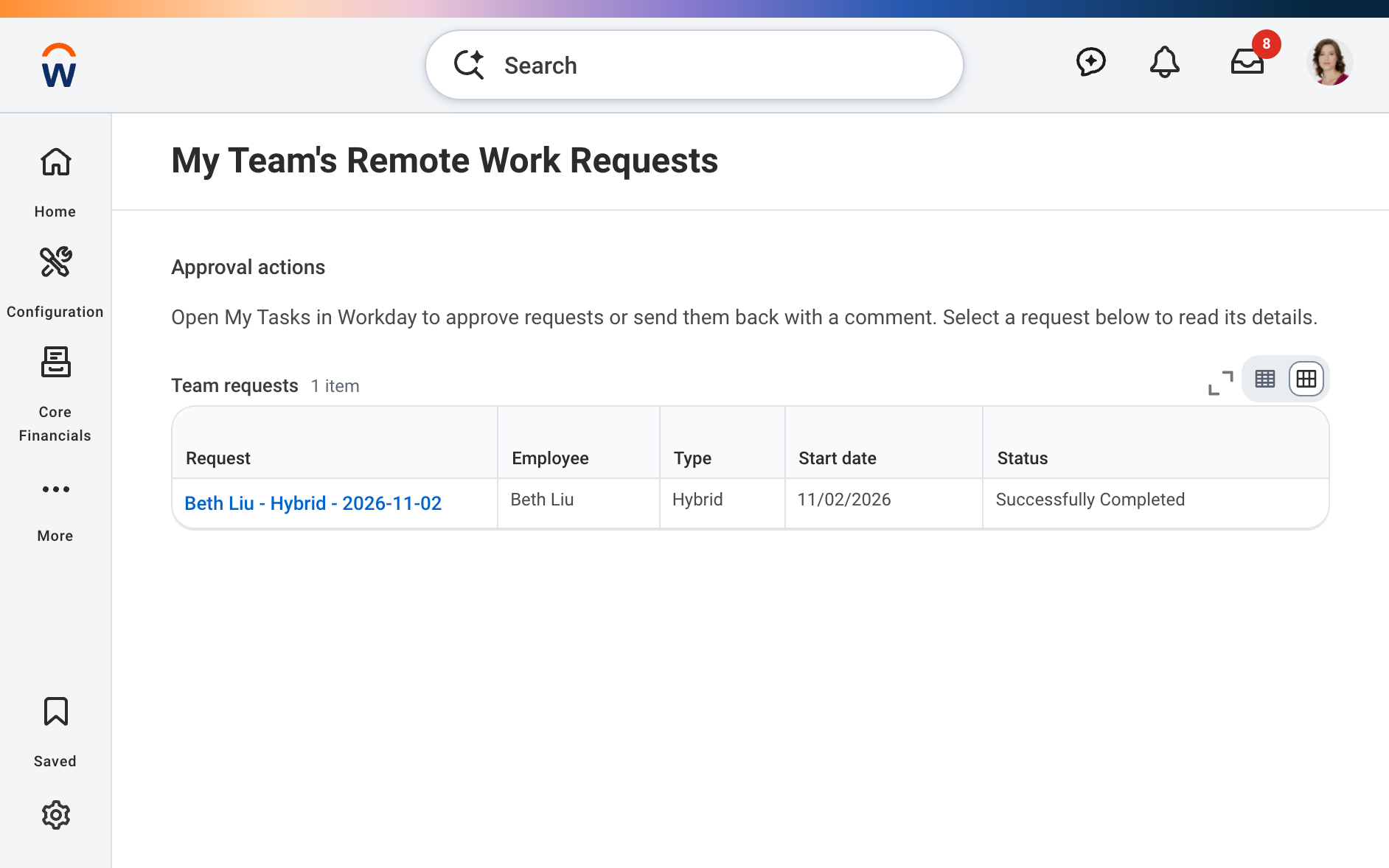
Acting on behalf of the manager, Vine verified both branches of the review loop:
- Send back with comment: Confirming that sending a request back requires a comment, returns the task to the employee, and allows the employee to edit and resubmit without losing prior data.
- Approval: Confirming that approving the request completes the Workday event cleanly (
Success! Event approved) and updates the request’s status immediately.
During the expanded multi-run test cycle documented in our end-to-end testing write-up, running as real personas caught a real page error that static validation never flagged. Vine diagnosed the defect, fixed the app, republished to Development, and re-ran the affected checks until they passed.
Stage 3: HR Overview and Geographic Filtering
Finally, Vine proxied as an HR user to confirm that approved remote and hybrid arrangements appear accurately on the HR overview screen—and that filtering by country or state narrows the results cleanly without leaking unapproved drafts or throwing permission errors.
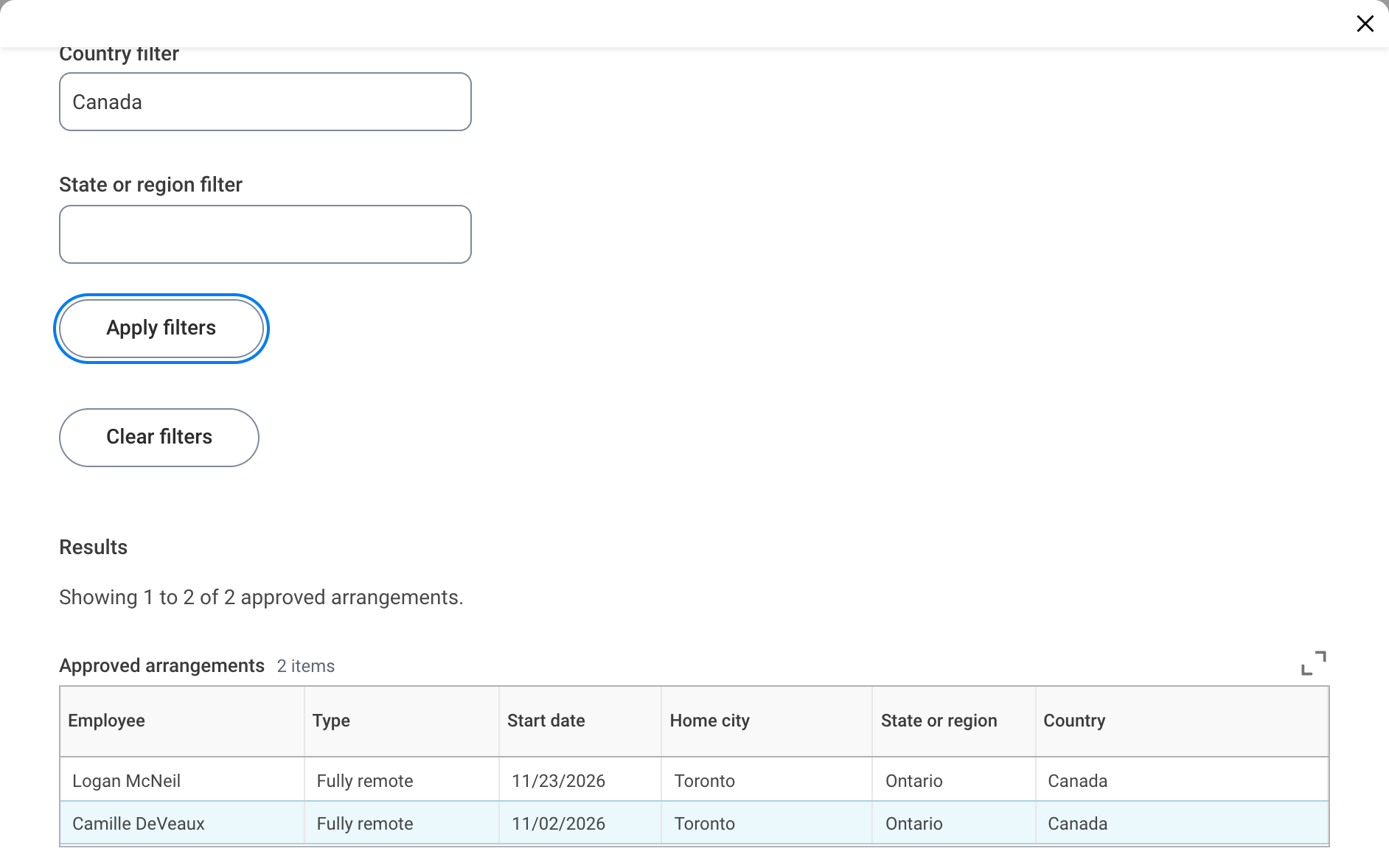
What the Real-Tenant Verification Record Showed
Every check, persona, and outcome stayed inside the project’s Testing panel rather than buried in scrollback chat—enforcing Kiweely’s core rule that Ready means used as the people it is for. If any check tied to an employee, manager, or HR persona has not yet passed, the Testing panel flags “Not yet used by everyone” and names the missing roles rather than calling the app ready.
| Recorded Proof Artifact | Scope Tested in Development Tenant | Verified Outcome |
|---|---|---|
Recorded Proof ArtifactRecorded Build Film (remote-work-extend, 12:38) |
Scope Tested in Development TenantEnd-to-end build from clean computer: brief → generate → publish → employee, manager, and HR verification → consultant tries it herself → handover | Verified OutcomeAll 7 acceptance checks passed in the Development tenant |
Recorded Proof ArtifactExpanded End-to-End Proxy Suite (test-workday-extend-app-end-to-end) |
Scope Tested in Development TenantSix test runs across employee validation, hybrid weekdays, manager send-back with required comment, resubmission, approval, and HR filtering | Verified Outcome33 checks over six runs: 32 passed, 1 could not be run — including catching, fixing, and retesting a real page error |
Notice what makes that record credible: when 1 of 33 checks could not be run, Vine reported 32 passed, 1 could not be run instead of rounding it up to “100% green.” Honesty about what was verified—and what was not—is what lets a senior consultant hand a build to a client with confidence.
Replicating This Workflow on Your Own Extend Builds
You can follow this exact pattern on any multi-step Workday Extend app—whether it is a tuition request, bonus exception, or equipment workflow:
- Write acceptance checks by persona before publishing: Split every business rule by role (Requester, Approver, Fulfillment/HR, and Unauthorized Peer for negative privacy checks).
- Never accept admin-only screenshots as UAT proof: Run every screen and My Tasks action through Start Proxy as real non-admin sample workers in Development or Sandbox.
- Retest the full flow after every defect fix: When a security domain or PMD expression changes to fix one role’s error, replay the saved checks across the other personas so nothing regresses.
- Promote deliberately: Move verified versions one level at a time (Development → Implementation → Sandbox), reviewing model-change warnings explicitly, and keep Production promotion strictly in human hands on Workday’s Developer Site.
Kiweely Vine brings the whole cycle—generation, Workday remote validation, Development deployment, Start Proxy persona testing, and the Testing panel record—into one desktop workspace. Vine Free is free for your Workday personal developer account and its tenant. Any other tenant needs Vine Personal at $99 a month for one person, or a Vine Team seat at $149 a month.
To deepen your Extend testing standards, read Multi-Persona Proxy Testing in Workday and Workday Extend Validate and Deploy Proof Ladder.
Frequently asked questions
Why is testing a Workday Extend app as an administrator not enough?
An administrator or implementer account holds broad permissions that mask missing domain security, broken manager routing, and inaccessible endpoints. Real employees, managers, and HR partners hit completely different security boundaries and My Tasks queues—which only show up when you test through Workday's Start Proxy as each role.
What did Kiweely Vine actually prove on the Remote Work Request Extend app?
Across the recorded build and end-to-end test cycle in a real Workday Development tenant, all 7 acceptance checks passed for the Remote Work Request build, and the expanded end-to-end test suite ran 33 checks over six test runs as employee, manager, and HR—passing 32 checks (with 1 unable to run) after catching, fixing, and retesting a real page error.
Does Kiweely Vine use Start Proxy silently without asking?
No. Starting a Workday proxy session always raises an explicit approval card naming the exact worker in plain language and explaining why, even if Full Access is turned on in a Development conversation.
Can Kiweely Vine deploy or promote an Extend app straight to Workday Production?
No. Vine deploys to Development and promotes one level at a time through Implementation and Sandbox with explicit user approval. First-time installs outside Development and any promotion to Production always stay manual human steps in Workday's Developer Site.