


Simple single-screen Workday Extend apps are easy to demo. Real enterprise Extend apps are rarely single-screen: they span three or more departments, enforce role-specific queues, track item-level fulfillment states, and fail in subtle ways when a second pair of eyes exercises them.
In our 36-minute recorded build (New hire equipment and access app built in Workday Extend), Kiweely Vine built a full three-persona onboarding fulfillment app inside a real Workday Development tenant, tested it end to end, ran an independent acceptance review that uncovered two real issues, fixed both findings, and re-verified the final result. Here is what happened at every stage.
The Multi-Persona Onboarding Brief
New-hire provisioning breaks down whenever HR, managers, and IT coordinate through email chains and spreadsheets. The app brief described one unified Workday Extend flow across three roles:
- Employee (sample worker Carmen): Selects needed equipment (laptop, monitor, peripherals), software access, and building/badge access in one guided request screen, then tracks fulfillment status until everything is marked Ready.
- Manager (sample manager Logan): Reviews the submitted request in a manager review screen and approves it before IT receives work.
- IT Fulfillment (sample specialist Anthony): Sees approved requests in an IT queue, records completion progress on each requested item individually, and moves the overall request to Ready once all items are fulfilled.
Stage 1: Employee Request Selection on the Live Tenant
Starting from plain business requirements, Vine designed the Extend app’s data model, business object relationships, security domains, and PMD screens, asked for explicit human consent to create and publish the app to Development, and configured access so non-admin roles could reach their respective pages.
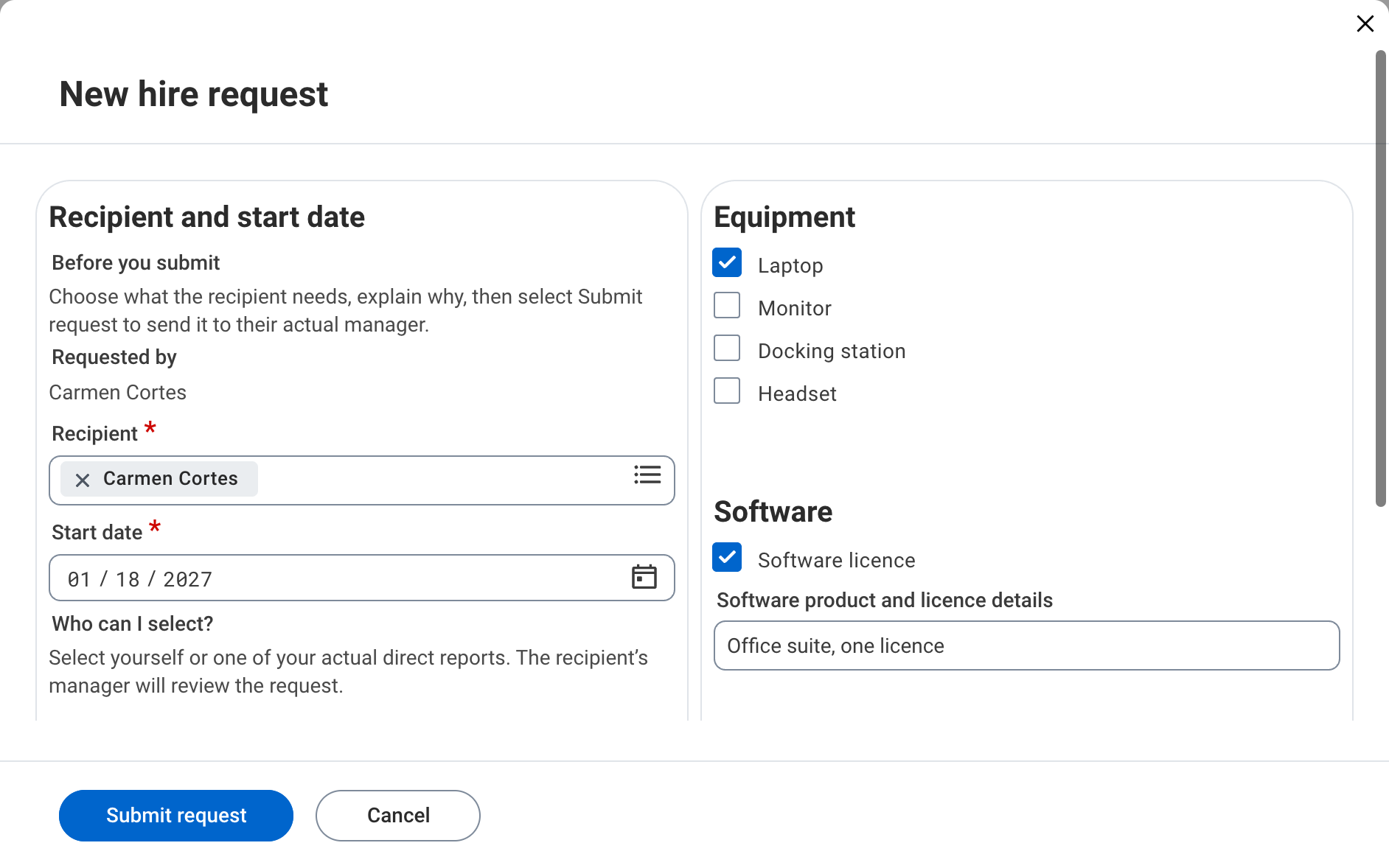
Rather than assuming a valid Extend upload equals a working UI, Vine opened the deployed app in a visible browser window and walked through selecting equipment, software, and building access items as a real requester—confirming every picklist, validation rule, and persisted record in Workday.
Stage 2: Manager Review and Approval Queue
Next came the handoff between employee and manager. In multi-step Extend apps, security domain misalignment between a custom object’s creator and the approving manager is one of the most frequent hidden defects—invisible when an admin tests their own screens, immediately fatal when a real manager opens the task.
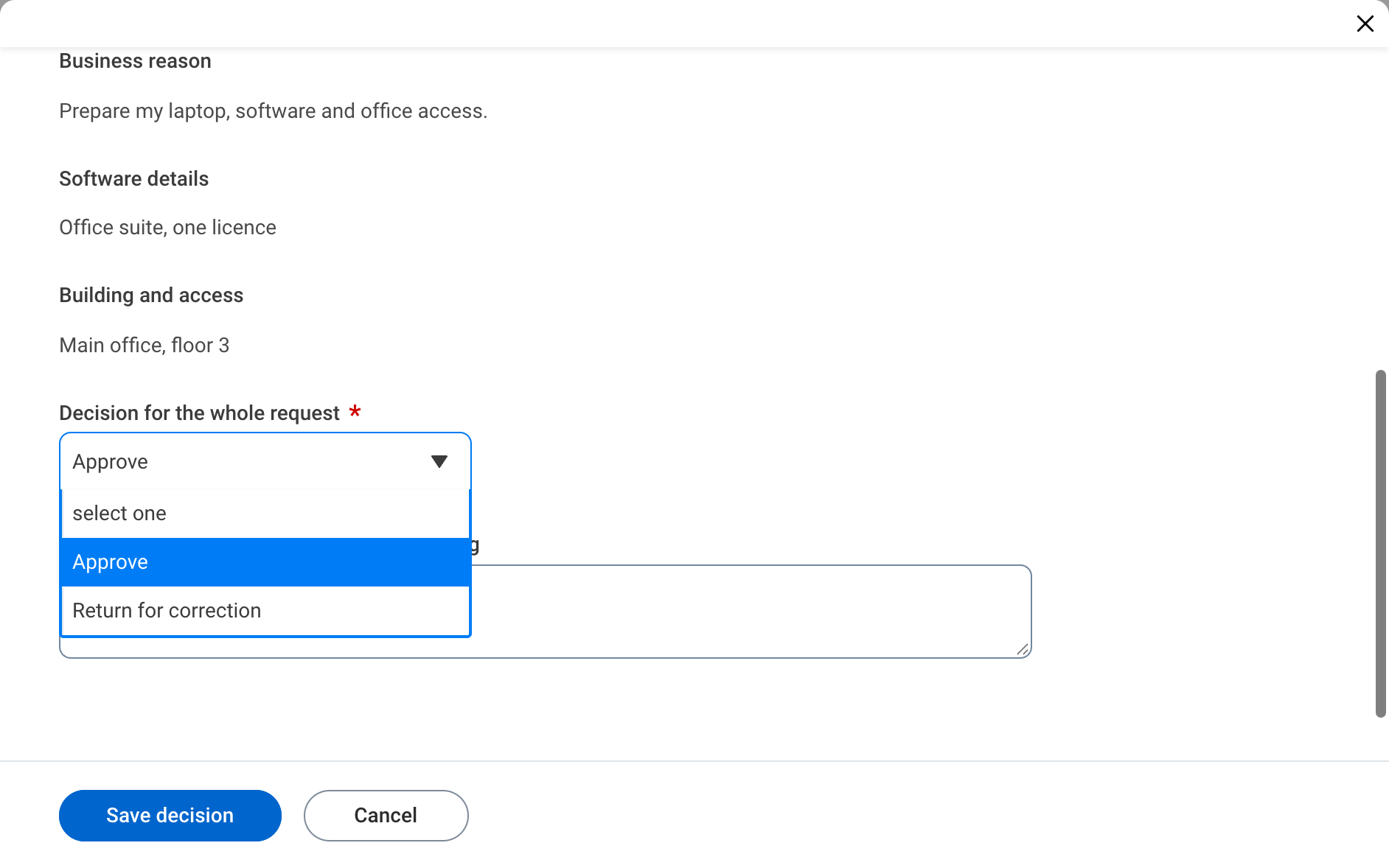
Testing as Logan, Vine verified that the submitted request landed in the manager’s review screen with all selected hardware, software, and facility items intact, and that approving the request transitioned its state cleanly into IT’s approved fulfillment queue.
Stage 3: Item-by-Item IT Fulfillment to Ready Status
Once Logan approved the request, testing shifted to Anthony in IT fulfillment. Instead of flipping a single coarse “Done” checkbox, the app tracks each requested item separately—allowing IT to record progress and completion notes per item until the entire request advances to Ready.
Finally, switching back to Carmen confirmed the closed loop: the employee’s overview displayed the saved Ready outcome along with the completed items.
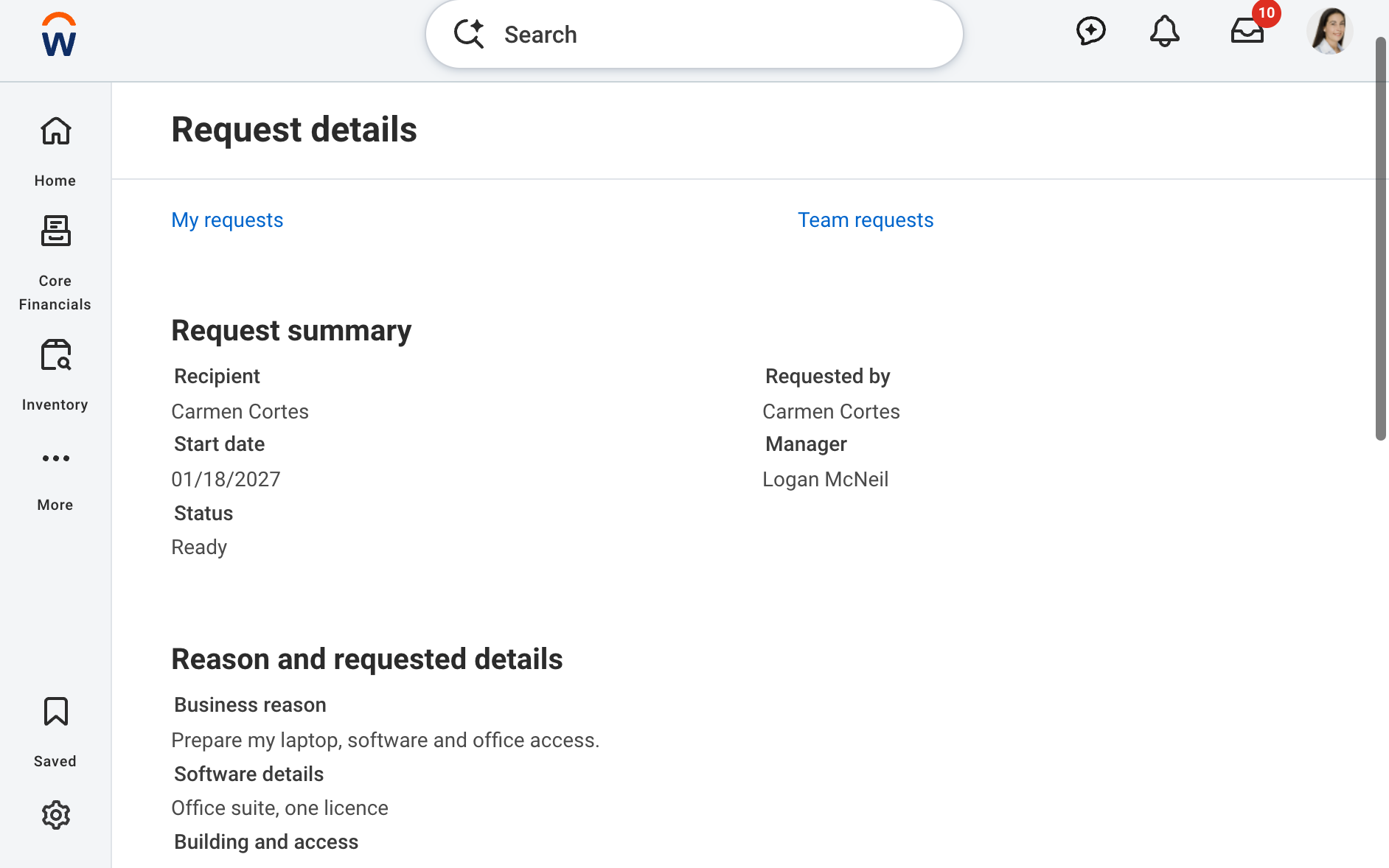
Stage 4: What the Independent Acceptance Review Caught—and Why That Matters
The most revealing section of the recorded run starts at the 14:22 chapter mark: “Independent acceptance finds two issues.”
In real consulting delivery, the person (or agent turn) that builds an app carries blind spots—they subconsciously click the exact path they expect to work. Running a separate acceptance review against the live Development tenant changed the outcome:
| Recorded Build Phase | Chapter Timestamp | What Happened in the Development Tenant |
|---|---|---|
| Recorded Build PhaseBrief, Generation & Consent | Chapter Timestamp03:24 – 04:52 |
What Happened in the Development TenantVine translated the plain-English brief into Extend source, validated remotely, and paused for explicit publish consent |
| Recorded Build PhaseDeployment & Role Access | Chapter Timestamp04:52 – 07:09 |
What Happened in the Development TenantPublished to Development and wired security domains for employee, manager, and IT roles |
| Recorded Build PhaseInitial Testing & Fulfillment | Chapter Timestamp07:09 – 14:22 |
What Happened in the Development TenantExercised submission, manager approval (Logan), IT item completion (Anthony), and employee check (Carmen) |
| Recorded Build PhaseIndependent Acceptance Review | Chapter Timestamp14:22 – 20:36 |
What Happened in the Development TenantSeparate review against the live app uncovered two real defects missed during initial build |
| Recorded Build PhaseFixing Findings & Final Acceptance | Chapter Timestamp20:36 – 36:22 |
What Happened in the Development TenantVine repaired both findings, republished to Development, retested across personas, and reached clean acceptance |
This is the exact difference between “an AI wrote some Extend code” and verified Workday delivery. Catching two real defects during independent acceptance—fixing them at the root in Extend source, redeploying, and proving the fix across Carmen, Logan, and Anthony—means those bugs never land in a client UAT session.
Practical Takeaways for Extend Consultants
When scoping your next multi-department Workday Extend build (onboarding provisioning, travel pre-approval, bonus exceptions, or internal asset tracking), bake four habits directly into the project:
- Model item-level fulfillment states cleanly from day one: Avoid cramming multiple equipment and access checkboxes into flat text fields; child fulfillment records let IT update items independently and drive accurate “Ready” rollups.
- Test every handoff boundary as its actual persona: Employee → Manager → IT → Employee involves four distinct permission boundaries. Verify each one in the live tenant via Start Proxy rather than an implementer account.
- Run an independent acceptance pass before client UAT: Separate building from reviewing. Give your acceptance checklist to a fresh verification pass—and keep every pass, failure, and retest in the project’s Testing panel so nothing gets forgotten.
- Watch model changes before promoting past Development: Once an Extend app moves into Implementation or Sandbox, changing
model/components carries permanent weekly-service-update implications. Kiweely Vine enforces a mandatory, non-skippable model-change approval naming every model diff before any save or promotion past Development.
Explore how to structure Extend testing and security cleanly in AI Browser Testing for Workday Extend Pages: Grids, Attachments, and BP Steps and First Workday Extend App Security Domains. Ready to try this workflow on your own tenant? Vine Free is free for your Workday personal developer account and its tenant. Any other tenant needs Vine Personal at $99 a month for one person, or a Vine Team seat at $149 a month.
Frequently asked questions
What workflows does the New Hire Equipment & Access Extend app cover?
An employee submits a request selecting hardware equipment, software licenses, and building access; their manager reviews and approves it; IT fulfillment opens the approved queue and completes each item until the request reaches Ready; and the employee checks the final saved outcome.
Why did an independent acceptance review matter on this build?
Even after initial generation, deployment, and first-pass testing succeeded, a separate acceptance review tested the live app from a fresh perspective and caught two real issues. Fixing and retesting both defects before final handover is what separates a demo from a production-grade Extend build.
Which personas were used to test the app in Workday?
In the recorded Development tenant run, three distinct sample personas exercised the live workflow: Carmen (the requesting employee checking submission and final saved outcome), Logan (the manager reviewing and approving), and Anthony (IT completing each requested item).
How does Kiweely Vine handle consent when building and publishing an Extend app?
Vine pauses for explicit consultant approval before creating the app in Workday, publishing or deploying a version to Development, opening browser sign-in handoff, or starting a Start Proxy session as another worker—keeping the human in full control of tenant state.