


Data-load work is where AI looks magical—until a 50,000-row EIB dies at hour four with early rows already committed. kiweely.com already covers that failure mode in depth; this post states the tool setup that respects it.
Recommended setup
- Tenant-aware mapping — the agent must see the live EIB template / field order for that tenant, not a generic CSV guess.
- Validate Only first — never let an assistant jump to load.
- Batching — split large files; keep spreadsheet keys coherent for multi-row objects.
- Mass Action when it fits — when the population already lives in Workday and rules are uniform; keep EIB for messy external spreadsheets (as discussed in existing Mass Action vs EIB coverage on this site).
- Readback — query or report the loaded population before calling the job done.
Reject as sole tooling
- Consumer chatbots that never see the tenant template.
- Unattended Production loads from an agent without a human approval gate.
- “One shot” 100k-row files because the model said the mapping looks fine.
Honesty limit
This is practice guidance aligned with Workday load behavior described in public consultant materials and prior kiweely.com evidence posts—not a replacement for the customer’s integration runbook.
Watch Kiweely Vine build and load an EIB
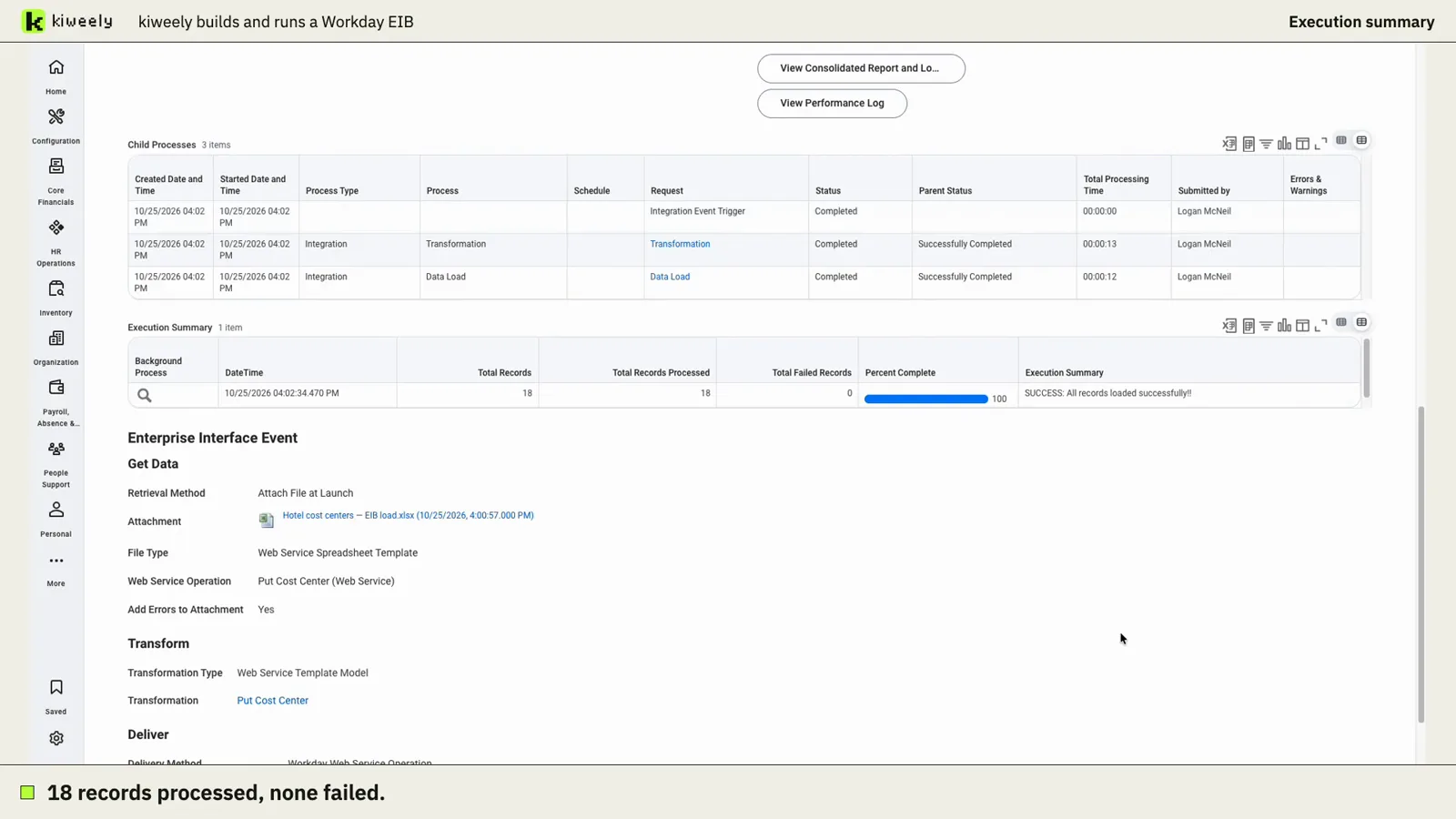
Kiweely Vine takes a messy cost center spreadsheet, lists its problems, asks only the business questions, builds the EIB on Workday’s own template and launches it in a Workday Development tenant. Workday reports 18 processed, 18 loaded, 0 failed. 97-minute recorded run, first-use setup included.