


New Hire Equipment & Access
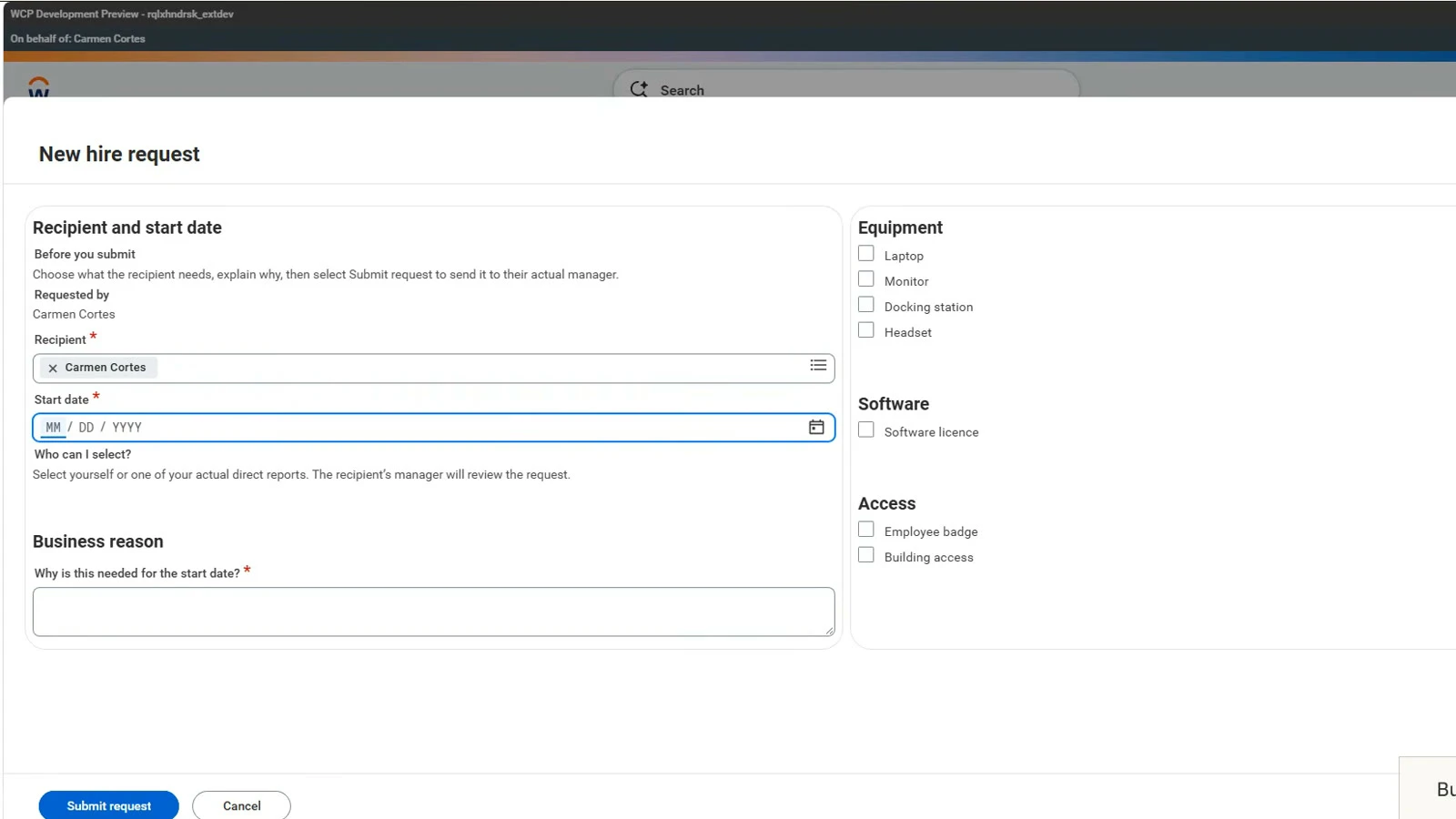
Request equipment, software and building access for a new starter. Managers review the request, and IT tracks each item until it is ready.
Sign in to download. In Kiweely, choose New project, Extend app, An existing one, then Use an app file and pick the download.
New Hire Equipment & Access
Chapters
- 0:00 App demo — New Hire Equipment & Access
- 0:47 The manager reviews and approves
- 1:11 IT completes the items
- 2:07 The saved outcome is checked
- 2:26 How Kiweely Vine built the app
- 3:24 The brief, generation and consent
- 4:52 Deployment and access
- 7:09 Testing, corrections and fulfilment
- 14:22 A separate review finds two issues
- 20:36 Fixing the two issues
- 27:50 Final touches and sign-off
Built with Kiweely Vine in about 6 hours, including testing and refinement. Passed the final layout and role access review in a Development tenant.
Why it exists.
Equipment and access requests get split across email before someone’s first day. Managers cannot see everything that was asked for, and IT has to chase missing details.
New Hire Equipment & Access keeps the request, approval and item-by-item progress together in Workday. An employee asks for a laptop, software and building access; their manager reviews it; IT records progress and completion notes. The employee and manager can reopen the same request to see what is still waiting and when every requested item is ready.
How it works.
- The employee
- Chooses the equipment, software and access needed for a start date, explains why, and follows the saved progress. Corrects and resubmits a returned request with the manager’s comment beside it.
- The manager
- Requests for a direct report, reviews the full request, and approves it or returns it with a comment saying what to change. Sees the same saved progress as the employee.
- IT
- Opens New Hire IT Fulfilment from Workday search, filters approved requests by status or start date, and updates each requested item with progress and completion notes. The request becomes Ready when every requested item is complete.
In the Workday tenant.


How it is built.
A Workday Extend app.
- Pages
- My requests, Team requests, New hire request, Request details, Review new hire request, Correct and resubmit request, IT fulfilment, Update item progress, queue filters, and saved-change and error pages
- Stores
- One request holds the requester, recipient, manager, start date, reason, selected items, software and access details, manager decision and comment, and each item’s progress and completion notes.
- Reads from Workday
- The signed-in worker, their direct reports and the recipient’s actual manager
- Decisions and progress
- Approval and corrections stay on the same request. Its overall status follows the manager’s decision and the progress of its selected items.
- Who sees what
- Employees see their own requests, managers the requests for their direct reports, and authorized IT staff the fulfilment queue and item updates through a protected Workday task.
Make it yours: start a project from this app.
Kiweely brings the same app into your own Workday developer account, then changes it the way you ask.
Next in Kiweely Vine
Compare A chat tells you the clicks. Kiweely Vine makes them. Watch it,
then try it.
Every film is a real build. Hand Kiweely Vine yours.
Kiweely Vine runs on Mac and Windows.