


An Orchestration for Integration takes more than the orchestration. You decide what it reads and what it returns. You build it in Orchestration Builder on the Workday developer site, get it through validation, create the integration system in the tenant, launch it, open the background process to find its output, check that output against Workday, and come back later when a run fails.
That work is spread across the developer site, the tenant and your own notes. Kiweely Vine — a desktop AI agent for Mac and Windows — automates the whole cycle directly in your tenant: in the recorded Development-tenant session below, it designed, built, deployed and verified a new-hire Orchestration for Integration from one plain request in 59 minutes and flagged a worker with a missing work email on a second run. Vine Free is free for your Workday personal developer account and its tenant. Any other tenant needs Vine Personal at $99 a month for one person, or a Vine Team seat at $149 a month. Download Kiweely Vine free or watch the 8-minute film.
The request
The client is fictional: Northstar Services. Its IT team needs a new hire’s name, start date, work email, manager and organization before day one. The request to Kiweely Vine was a few plain sentences:
- People Operations enters a worker’s employee ID and runs the handoff on demand.
- The orchestration reads that worker from Workday and returns those five details.
- A missing detail is marked as missing, never guessed.
- No external IT system, no changes to worker data, and nothing outside the Development tenant.
1. Design
Before building anything, Kiweely Vine turned the request into concrete decisions and wrote them back for the consultant to read. People Operations would launch the handoff from Workday’s own launch screen and enter an employee ID. “Organization” would mean the worker’s supervisory organization, and “start date” would be Workday’s hire date. The output would be a handoff document attached to the run, with any missing detail marked.
It also looked in the tenant for workers to test with: Leah Grant, who has all five details, and Meg Saunders, whom Workday returns with no work email. That gave the tests a known right answer before the first version existed.
2. Build
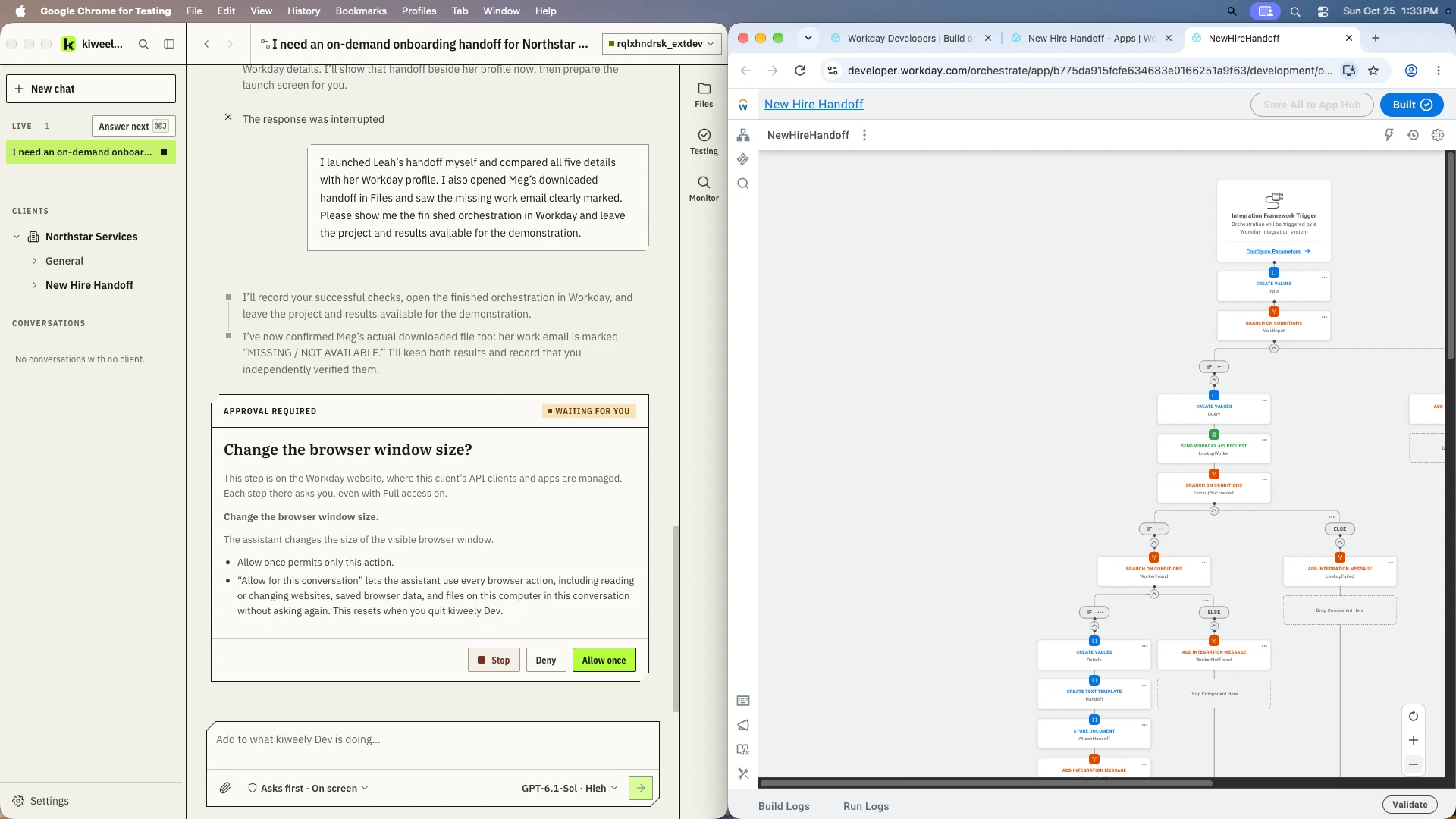
The orchestration is built through Workday’s own Orchestration Builder, the same service behind the builder on the developer site. The result is an ordinary Workday orchestration that a developer can open, read and change by hand.
The flow it built, from top to bottom:
- An Integration Framework Trigger, so the orchestration runs when its integration system is launched.
- A check on the employee ID that was entered.
- A Send Workday API Request step that looks up the worker.
- A branch for a worker that is not found, with its own integration message.
- For a worker that is found, the handoff text is built from a template and stored as a document attached to the run.
3. Deploy
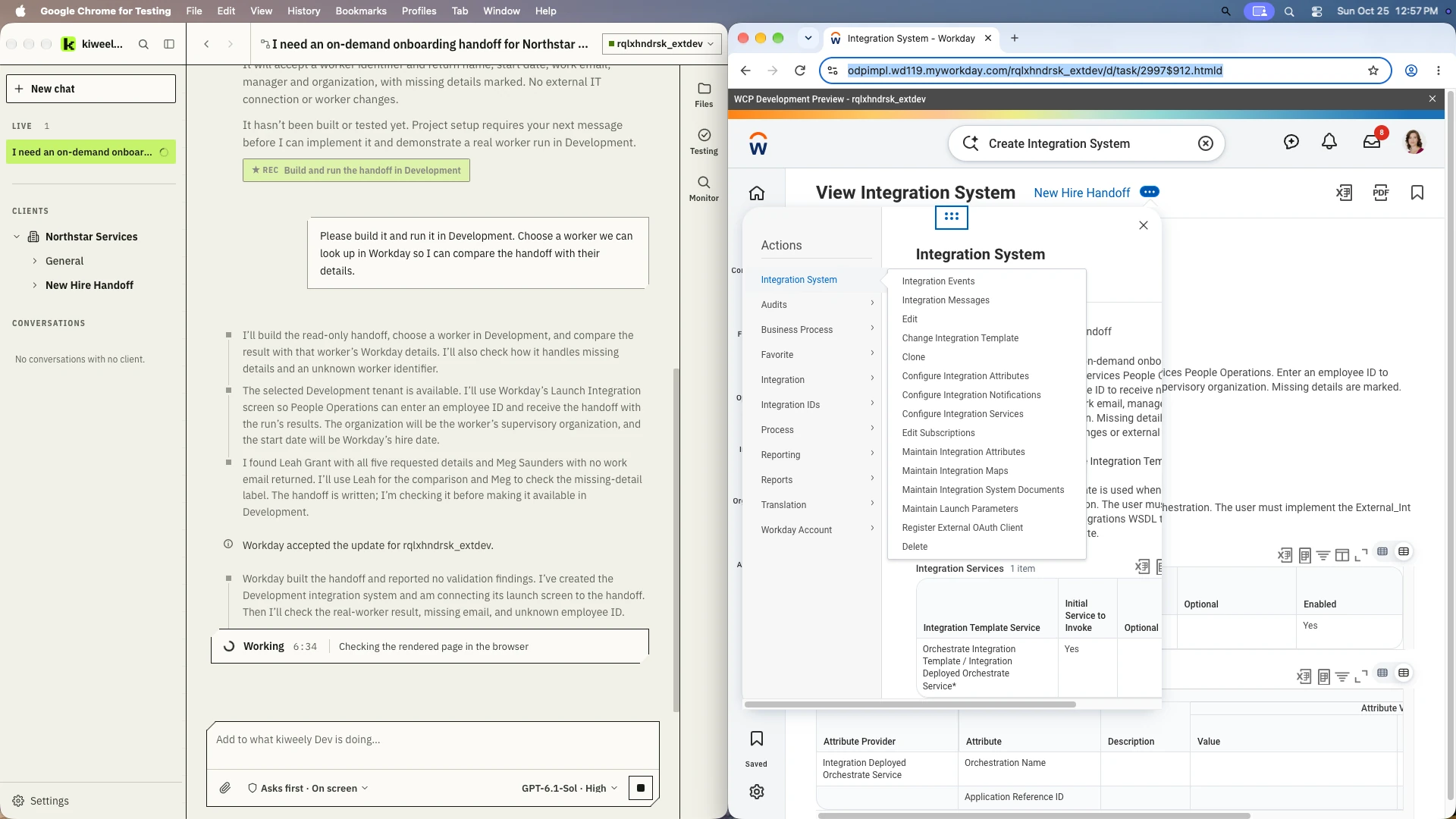
Workday validated the orchestration and reported no findings. Kiweely Vine then deployed it to the Development tenant and created the integration system that launches it, using the Orchestrate Integration Template. In Workday, New Hire Handoff shows Built status.
Every step Kiweely Vine takes on the Workday developer site waits for an approval, even with full access turned on. The picture above shows one of those approval cards.
4. Test
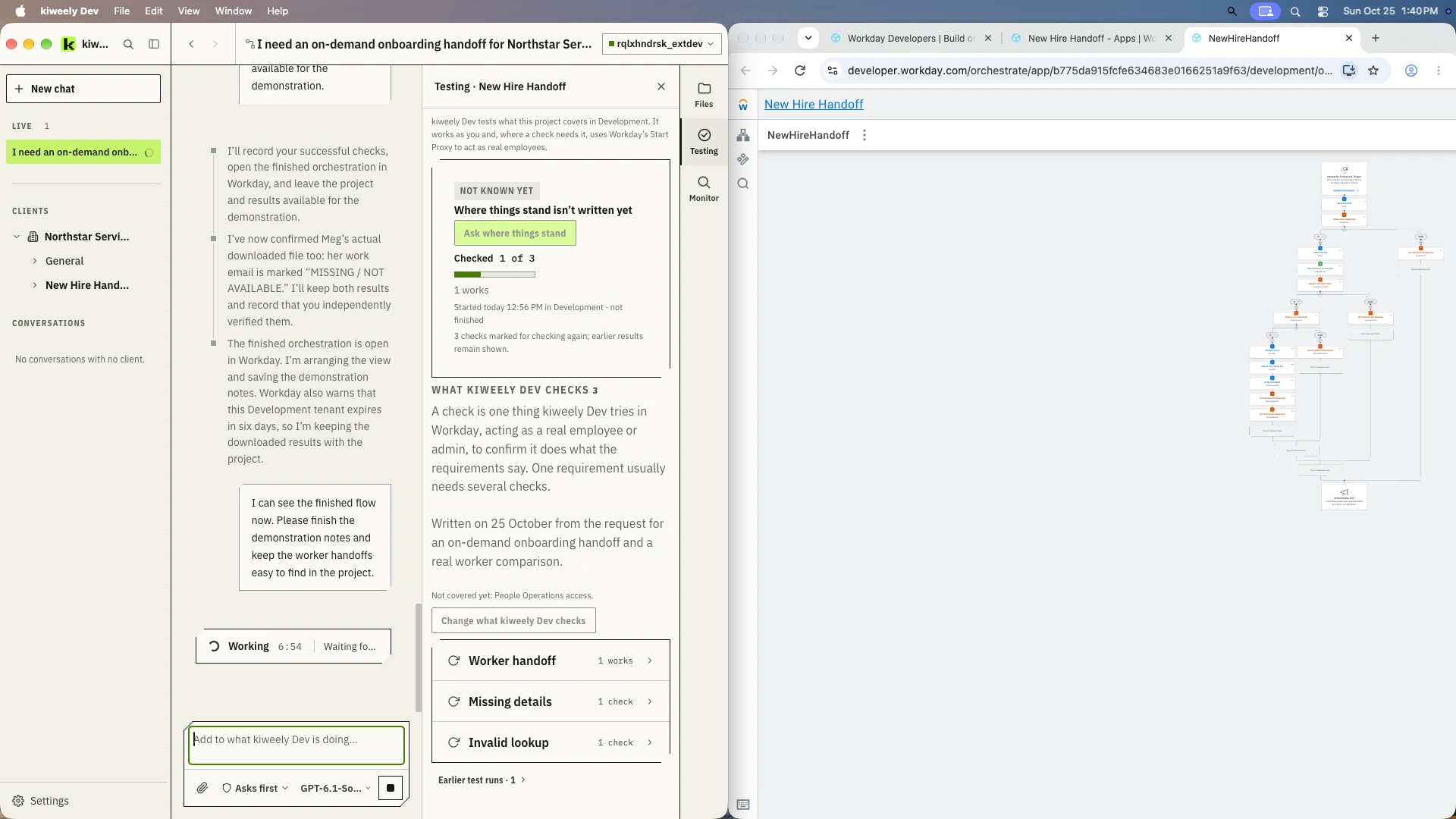
From the request, Kiweely Vine wrote down what it would check, then checked it in Workday:
- Worker handoff: the handoff for a real worker matches what Workday shows for them.
- Missing details: a worker with a missing detail gets it marked, not filled in.
- Invalid lookup: an employee ID that doesn’t exist is handled.
These checks live in Kiweely Vine’s Testing panel with the project, so they can be run again after a change. Where a check needs it, Kiweely Vine uses Workday’s Start Proxy to act as a real employee.
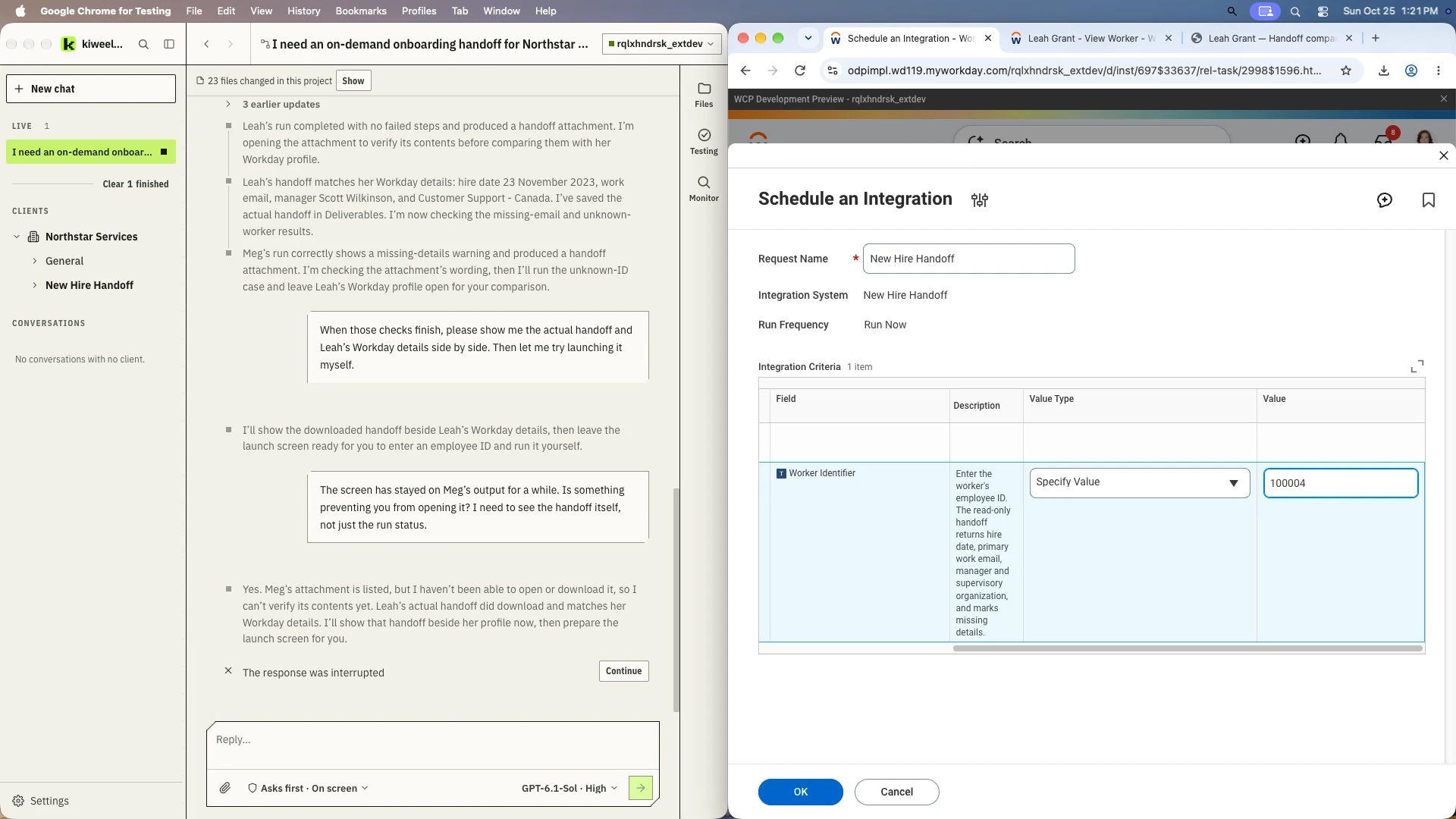
Then the handoff was launched from Workday’s own Schedule an Integration task, signed in as Logan McNeil rather than through Kiweely Vine, with Leah’s employee ID.
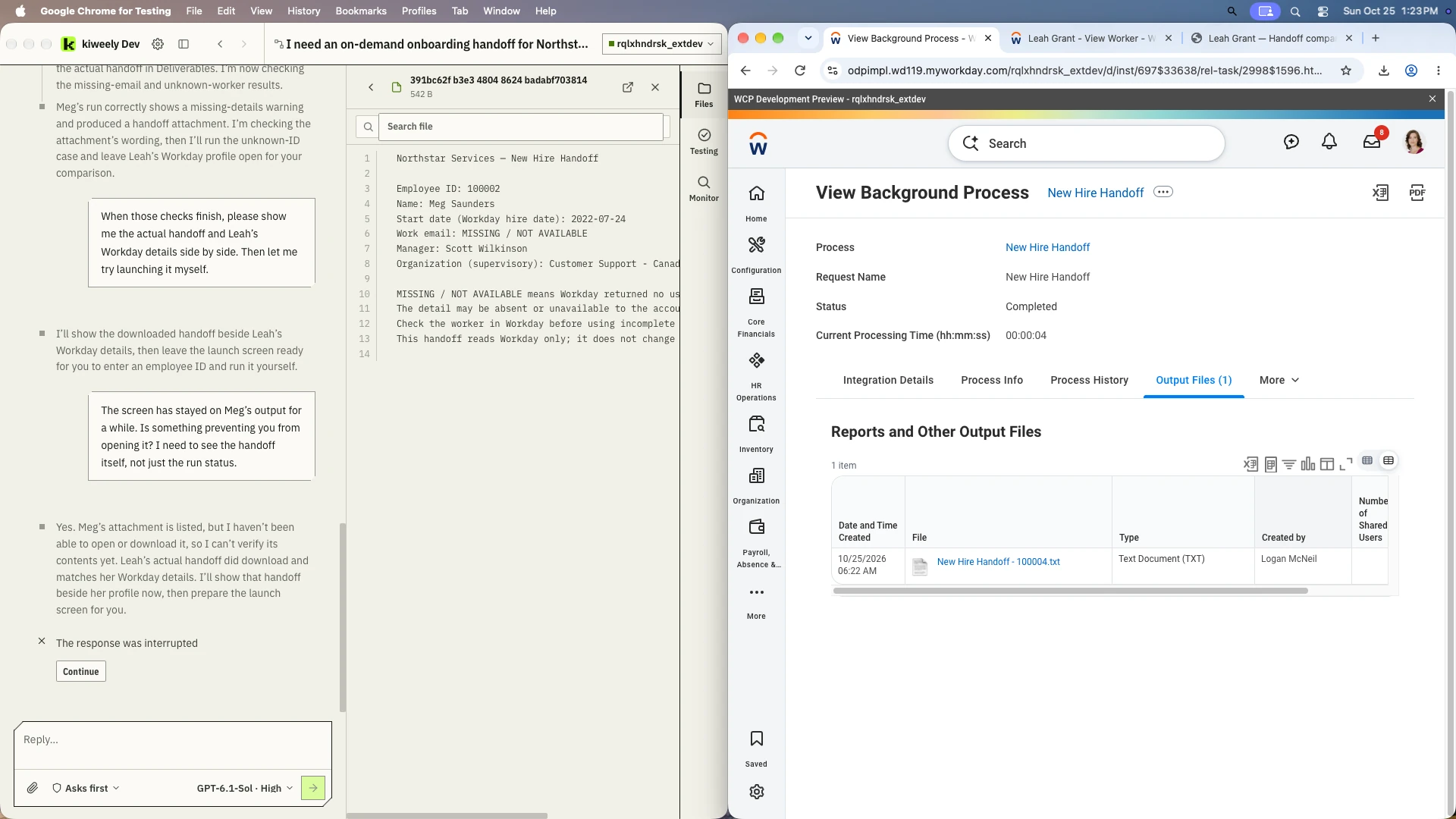
The run completed in four seconds. Each of the five details in Leah’s handoff was compared with her live Workday profile: her name, her hire date of 23 November 2023, her work email, her manager Scott Wilkinson, and Customer Support - Canada. All five matched.
Meg’s run completed with a warning, and her handoff says “Work email: MISSING / NOT AVAILABLE” instead of putting a home address in its place. Her contact page in Workday lists home email addresses only.
The Testing panel shows where things stood at the end of the recording. Only the worker handoff check had a saved result, and it works. The other two had no saved result yet: Meg’s missing email had been checked directly in Workday, and the invalid lookup had not been run.
5. Monitor
An orchestration that worked once can fail next month. Beside Files and Testing, every Orchestration for Integration project in Kiweely Vine has Monitor.
When you ask, Kiweely Vine reads the orchestration’s existing Workday run and event history, including Orchestrate’s runtime history for the app. It then lists open issues with their impact, the evidence and a recommendation. It checks only when asked, never on a schedule. An empty or unavailable log is never treated as proof that everything is healthy. A resolved issue needs fresh evidence that it recovered.
Monitor wasn’t used in this recording, so there is no picture of it here.
Why Kiweely Vine can do all five
- It works with Workday’s own tools rather than describing them: Orchestration Builder to build, Workday’s validation to check each version, the tenant’s own integration system and launch screen to run, and the background process output to read the result.
- It works in your tenant with your access. The tenant sign-in never enters the AI model’s context.
- Every change to Workday waits for your yes, in the conversation.
- It judges the result against real Workday data, not against what it expected to happen.
What we did not test
- Launching with an employee ID that doesn’t exist. The flow has a branch for it, but no one ran it.
- Running it as a People Operations user. Every launch used Logan McNeil.
The chat’s last reply was also interrupted near the end of the recording. The Workday runs and the saved handoffs were checked directly in Workday.
Watch Kiweely Vine build an Orchestration for Integration
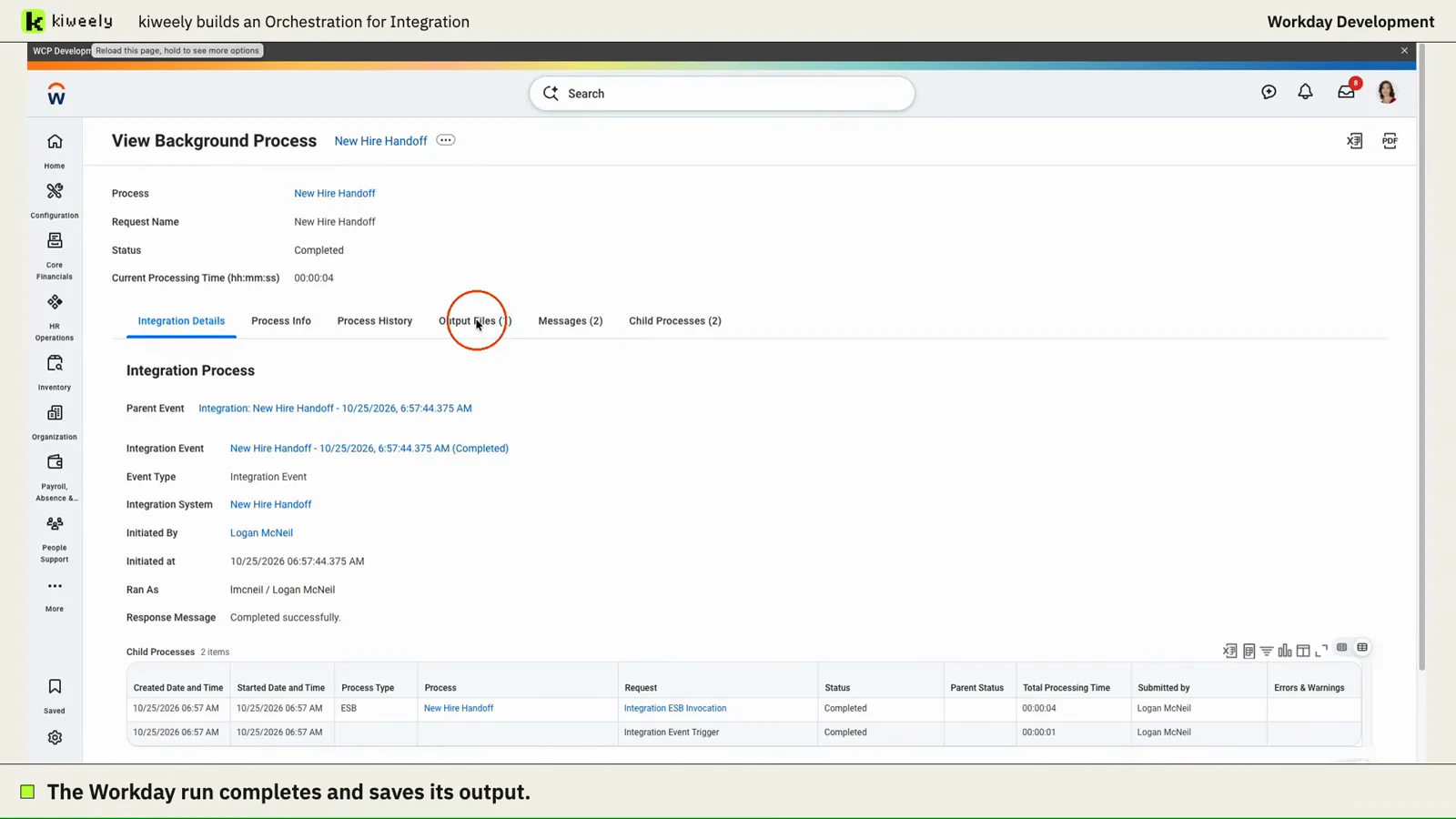
From one request, Kiweely Vine builds a new-hire handoff as an Orchestration for Integration, runs it in a Workday Development tenant and checks the saved output against the worker’s Workday details. A second run flags a worker with no work email. 59 minutes of build time.
Vine Free is free for your Workday personal developer account and its tenant. Any other tenant needs Vine Personal at $99 a month for one person, or a Vine Team seat at $149 a month.