


A client sends you a spreadsheet. Mixed date formats. Codes that don’t match anything in the tenant. A duplicated row. Lines marked closed, lines marked “do not load”, subtotals and blank rows mixed in with the real data. This is the input to your EIB load.
For a normal Workday consultant, the spreadsheet is the whole job. Hours of data cleaning before the EIB even exists. Then you set the EIB up, launch it, and watch it fail. The error tells you the record failed — it doesn’t fix the row, rebuild the file, or rerun the load. That’s your afternoon: fix, retry, fail on the next 25, repeat. For a non-technical user, it’s daunting before it even starts.
The failure report only shows the first 25
EIB is how bulk data gets into Workday. Enterprise Interface Builder is Workday’s no-code way to load data from a spreadsheet. Workday generates the template for the bulk operation — mass payroll, time off, benefit adjustments — you fill it in and import it. No code, no Studio, just a spreadsheet and a launch.
Every EIB launch has a Load Error Limit. The process stops when it reaches the limit. The default is 25.
A bad record does not fail the whole file. The record is skipped, an error is logged, and the good records load. So the first failure report only ever shows the first 25 bad rows. A file with 200 bad rows takes eight runs to surface them all — and every re-run re-processes the good rows too.
Workday does give you two launch options that help: Validate Only Load — a trial run that validates the data without loading anything, with a failure report attached to the integration event — and Add Errors to Attachment, which writes comments into the key fields of the rows that have errors. But somebody still has to read the report, fix every row by hand, and reload. That somebody is you.
Kiweely does the whole job
Hand it the messy spreadsheet. It lists every problem in the file, cleans the data, sets up the EIB, and runs the load. When records fail, it reads the failure report, fixes the rows, and reloads just the failures. Then it checks the Execution Summary until the load is clean.
The result is verified against the real tenant data — not guessed from the error text. Messy input in, working EIB out.
Watch Kiweely Vine build and load an EIB
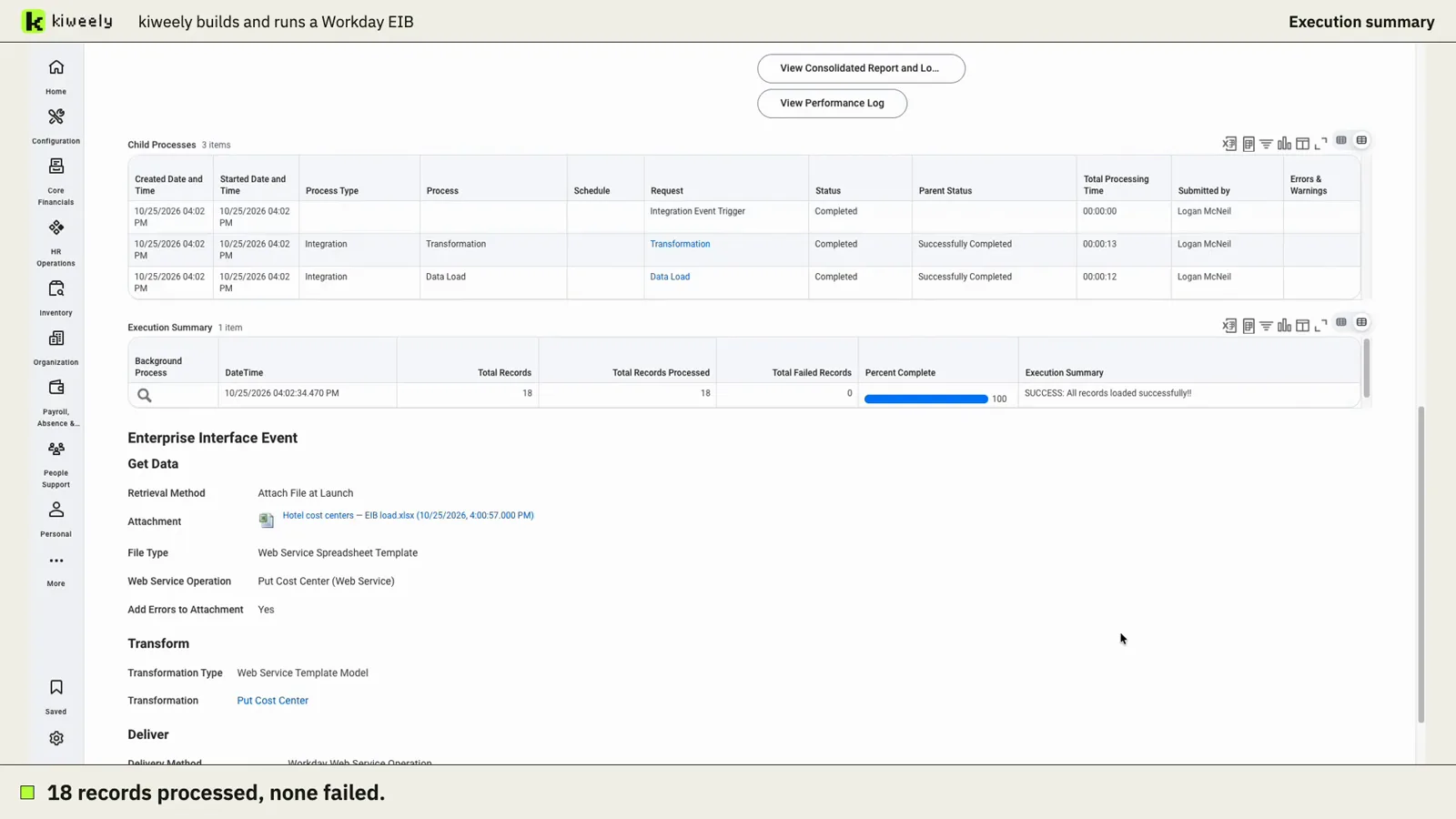
Kiweely Vine takes a messy cost center spreadsheet, lists its problems, asks only the business questions, builds the EIB on Workday’s own template and launches it in a Workday Development tenant. Workday reports 18 processed, 18 loaded, 0 failed. 97-minute recorded run, first-use setup included.