


Skip to content
KiweelyKiweelyKiweely

Pairing Claude Code with a Personal Workday Extend Tenant for Portfolio Apps

Personal developer tenants are for learning and portfolio Extend apps with Claude Code + Developer Agent—not for client worker data.

  • By Kiweely
  • Updated
  • 1 min read
On this page

Workday’s Open Developer Program offers personal developer accounts and development tenants for building. That is the right place to practice Claude Code + Developer Agent install paths.

Do

  • Build portfolio apps; validate; deploy to the personal Development tenant.
  • Learn invocation costs on non-client data.

Do not

  • Load client worker exports into the personal tenant.
  • Reuse personal consumer AI training defaults for client work and call it “practice.”

Keep client work on firm accounts and customer tenants under contract.

Watch Kiweely Vine build and test an Extend app
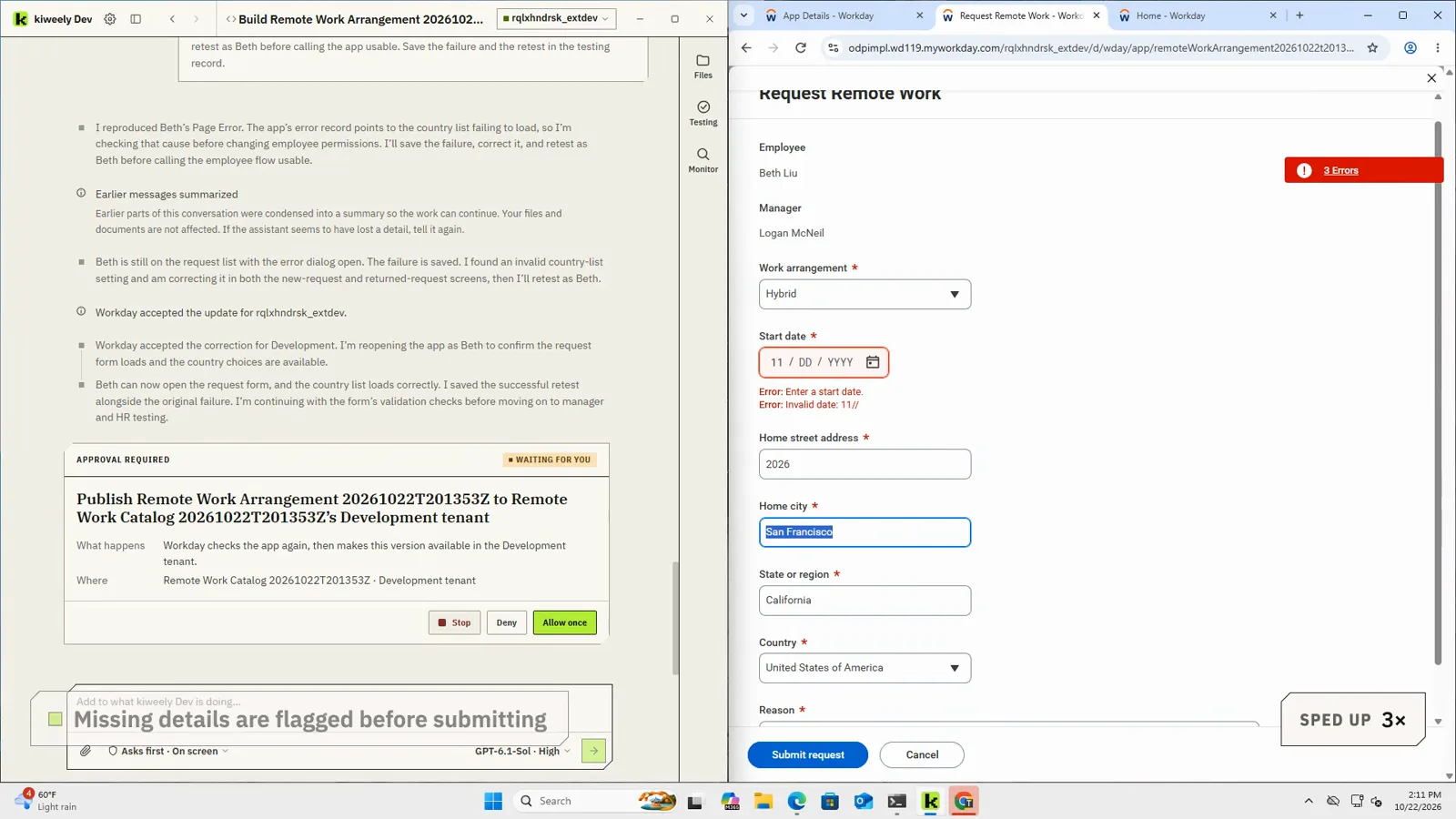
Kiweely Vine testing a Remote Work Arrangement Extend app as the employee: the request page flags a missing start date before it can be submitted
From the film: testing as the employee, the request flags missing details before it is submitted.

A consultant describes a remote work request app in plain business words. Kiweely Vine builds it, publishes it to a Workday Development tenant and tests it as the employee, the manager and HR: employees ask to work remote or hybrid, managers approve or send back with a comment, and HR sees one list of who works where. About two hours of real work, shown in 13 minutes. Every acceptance check passed in Development.

Watch the film (13 min) · Start for free

Your Workday work, done by AI.

Kiweely Vine is the AI agent that builds, deploys and tests Extend apps as real people, makes changes in any Workday task screen, answers from your real tenant and builds reports.

Get the next one in your inbox.

One email a month for Workday teams: what’s changing in Workday and what to retest, one tip tried in a real tenant, and what’s new at Kiweely.

We’ll email you once to confirm. Unsubscribe in one click from any issue.